Framer vs Webflow 2026: Best Choice for Business?
framer, webflow
December 9, 2025
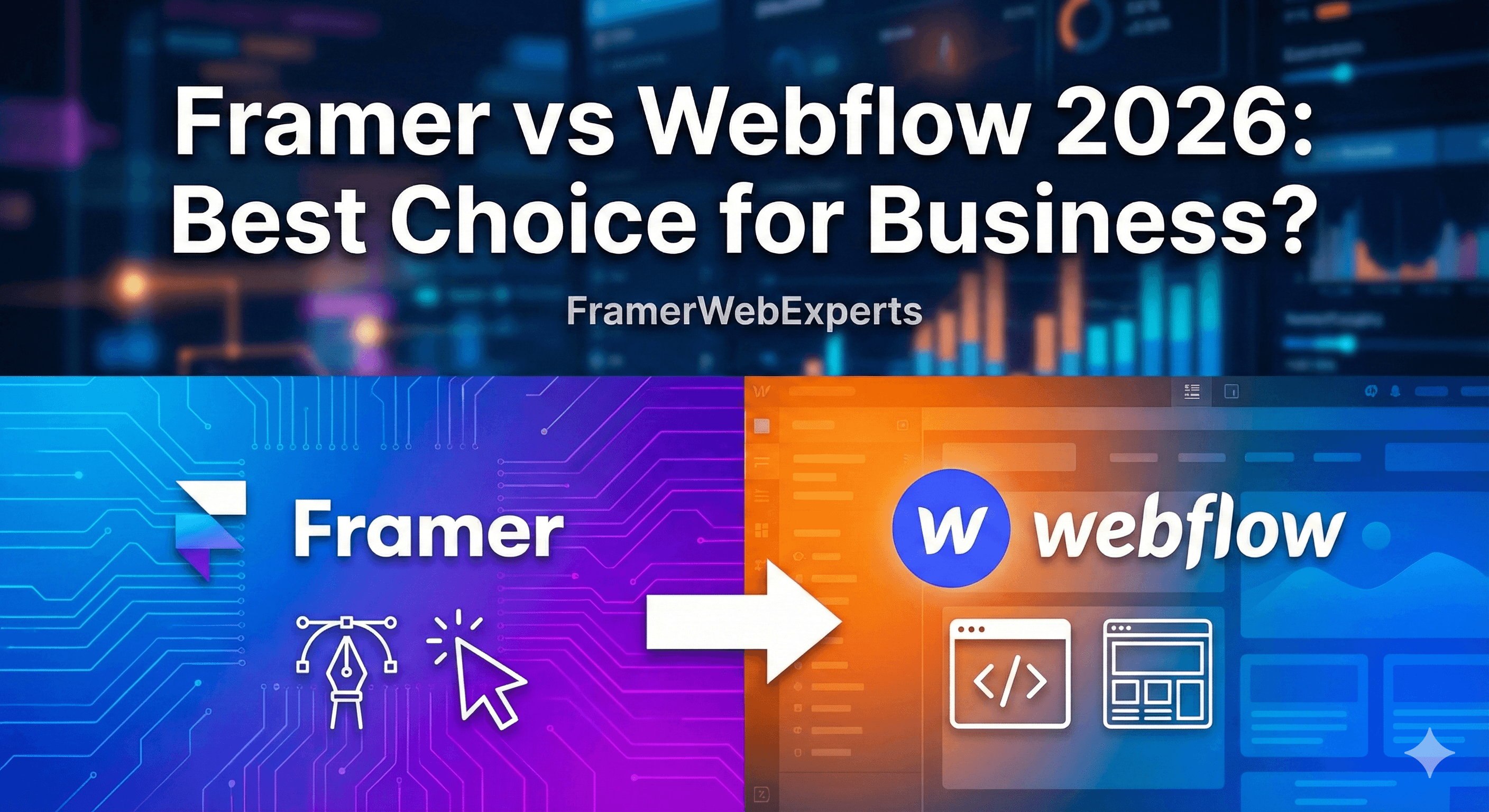
As we look towards 2026, businesses are constantly on the hunt for the best web design tools that can keep pace with their needs. In this ever-evolving digital landscape, choosing between Framer and Webflow might seem like a tough decision. Both platforms offer impressive features designed to simplify website creation, appealing to beginners and pros alike. So whether you're building a stunning homepage or a full-blown marketing site, understanding the strengths and differences of these tools is key. Let's dive in and see what makes them stand out!
As we zoom into the future of web design in 2026, Framer and Webflow stand tall as the titans of creative web development. Both platforms offer a bevy of features to make website creation not just accessible, but enjoyable. Let’s dive into what each brings to the table and help you decide which might suit your business best.
Key Features of Framer
Framer has evolved into one of the most intuitive design tools available today. Originally favored for creating eye-catching prototypes, it now covers the full spectrum of web design and development. Here are some of the standout features:
- Real-Time Collaboration: Framer’s collaborative features allow multiple team members to work on projects simultaneously, facilitating seamless teamwork.
- Code-Free Prototyping: Its drag-and-drop interface empowers users to create complex animations and interactions without writing a single line of code.
- Built-In CMS: Framer comes equipped with a built-in CMS, making it easy to manage content efficiently.
- Scalable Design Components: Users can create reuseable components that are not just responsive but scalable, adjusting to different screens and devices.
- Robust Animation Library: With an extensive library of animations, designers can bring their visions to life effortlessly.
- Learning Resources: Framer offers a variety of learning resources, including video tutorials and live chat support, to help beginners and pros alike master the platform.
Key Features of Webflow
Webflow, on the other hand, is a powerhouse for designers looking to combine creative freedom with robust functionality. It bridges the gap between design and front-end development, offering features like:
- Visual Web Development: With its visual drag-and-drop tools, users can build anything from simple marketing sites to complex web applications.
- SEO-Friendly Tools: Webflow boasts built-in SEO features, making it easier for businesses to optimize their websites and improve visibility on search engines.
- Dynamic Content Management: With a powerful CMS, Webflow allows users to build custom database-driven sites without technical knowledge.
- E-commerce Solutions: It offers integrated e-commerce capabilities for businesses looking to sell products directly through their websites.
- Custom Code Capabilities: For advanced users, Webflow provides the option to add custom code, giving you more control over your design.
- Growing Community and Support: It offers a vibrant community and comprehensive support, including forums, tutorials, and direct chat.
Design Capabilities
Understanding each platform's design capabilities can help you decide whether Framer or Webflow aligns better with your business goals and workflow.
Framer’s Design Elements:
Framer shines in its ability to create sophisticated animations and interactive design features. Here's what you can expect:
- Animation and Interaction: Framer takes web design to another level with its unique ability to craft animations that feel natural and engaging.
- Responsive Design: The platform provides extensive responsive design tools that adapt flawlessly to different device sizes.
- Spot-On Prototyping: Framer allows users to create prototypes that look and feel like actual products, elevating client presentations and feedback cycles.
- Integration of Advanced Features: Its capability to integrate advanced features like audio, video, and other media friendly widgets make it a go-to for designers seeking rich multimedia experiences.
Webflow’s Design Capabilities :
Webflow matches sophistication with simplicity in its design arsenal. Here’s a glimpse of what you can do:
- Full Control Over HTML/CSS: Webflow provides designers with the flexibility of creating visually stunning designs without sacrificing code quality.
- Visual Flexibility: From basic layouts to intricate animations, Webflow’s design tools offer the freedom to create exactly what you envision.
- Reusable Symbol Components: Users can create and save custom components or “symbols” for use across different pages, ensuring design consistency.
- Color and Typography Management: Webflow's easy-to-use interface allows you to manage colors and typography effortlessly, ensuring brand consistency.
Comparison of User Experience :
While both platforms bring something unique to the table, your choice might boil down to what kind of user experience you’re looking for:
- Learning Curve: Framer is often easier for beginners, thanks to its straightforward, code-free environment. However, Webflow’s slight learning curve comes with the reward of more advanced features and flexibility.
- Design and Development Balance: If you’re seeking balanced design and development prowess, Webflow's combination of design freedom and coding capabilities may edge out Framer’s pure design focus.
- Community Support and Resources: Both platforms excel with strong community backing. However, Webflow’s extensive library of resources and active forums can provide ongoing support for even the most daunting projects.
Ultimately, whether you prioritize innovative animations with Framer or comprehensive web solutions with Webflow, knowing your business's needs is key to making the best choice.
Learning Curve and Usability :
When it comes to choosing a tool for web design, understanding the learning curve and usability is crucial. In 2026, both Framer and Webflow have developed substantial educational resources, but they target different types of users with varying ease of use.
Framer for Beginners
Framer has traditionally been known for its intuitive interface, making it a favorite among beginners. As of 2026, Framer continues to cater to newbies in web design by offering a drag-and-drop visual editor that is simple yet powerful. This visual-first approach means that you don’t have to start with coding experience to create stunning pages.
For those taking their first steps into web design, Framer’s platform comes filled with interactive design elements and templates, allowing them to build websites with minimal fuss. There are also plenty of video tutorials, which provide step-by-step guidance and live chat support for real-time help. This makes it an excellent choice if you are just starting out or looking to create a personal or small business site without getting overwhelmed.
Webflow’s Learning Resources
On the other hand, Webflow is renowned for its comprehensive learning resources which have only grown over the years. The platform offers a robust selection of tutorials covering a wide range of topics, from introductory to advanced levels. For those who love to learn by doing, Webflow provides an online university called Webflow University, which is chock-full of video tutorials that help users get comfortable with the platform's features and functionality.
While the initial learning curve for Webflow might be steeper than Framer, once you get the hang of it, the possibilities are virtually endless. This makes it a great choice if you’re looking to advance quickly once the basics are learned.
Which is Easier for Growing Teams
For growing teams, ease of collaboration and scalability are often as important as the usability of the platform itself. Framer and Webflow have enhanced collaborative features by 2026.
Framer makes it easy for teams to work together with its real-time editing and streamlined communication tools embedded within the platform. This can be a game changer for teams that value swift feedback and adaptability.
Webflow, however, stands out by catering to larger teams with richer content management systems (CMS). Its robust tools for team collaboration allow for simultaneous editing and better project management capabilities. A built-in CMS and automation tools mean that larger teams can manage complex projects more efficiently without sacrificing creativity or speed.
As businesses increasingly recognize the importance of search engine optimization (SEO), having a website builder with strong SEO features is critical. Both Framer and Webflow boast impressive SEO capabilities by 2026, but the choice ultimately hinges on what your business needs.
Framer’s SEO Tools
Framer has simplified its SEO tools, making them more accessible for beginners and small businesses. You can easily optimize your website by adjusting meta titles, descriptions, and image alt texts directly within the platform.
Framer integrates seamlessly with popular SEO tools, allowing users to track analytics and improve their online presence effectively. These tools are designed with ease of use in mind, ensuring that even someone without extensive SEO knowledge can improve their site’s visibility.
Webflow’s Built-in SEO Options
Webflow stands as a powerful ally for those seeking built-in SEO assistance. With advanced options, Webflow provides the ability to customize detailed SEO settings directly from the design interface. Users can harness the full potential of Webmaster tools, generate sitemaps automatically, and set custom 301 redirects effortlessly.
Alongside these features, Webflow’s CMS allows for easy management of page optimization at scale, which is indispensable for larger websites and businesses with extensive content.
Impact on Marketing Sites
For marketing sites, the right SEO can significantly impact online presence and ultimately the success of a campaign. Framer allows users to build simple, effective marketing sites with a core focus on user experience.
While Framer provides great tools for smaller campaigns, Webflow is ideal for businesses with complex marketing strategies needing advanced SEO implementation. It facilitates better design-to-seo conversion, making sure that your marketing site is not just beautiful, but also visible to your target audience.
Whether you're trying to get a leg up with SEO or streamline operations for a team, choosing between Framer and Webflow in 2026 comes down to your business size, team skills, and your long-term goals. Both platforms offer unique benefits that cater to different needs.
CMS Features
One of the most critical components of modern website design is the Content Management System (CMS). Both Framer and Webflow offer distinctive CMS features that cater to a wide range of business needs, from the creatively inclined to the analytically driven.
Framer’s CMS Integration
Framer has upped its game with CMS integration over the years. By 2026, it is more intuitive and flexible than ever. Framer allows users to connect their design elements directly with dynamic content, making it super easy to keep your website up-to-date without breaking a sweat.
Here are a few highlights of Framer's CMS:
- Dynamic Content Updates: Easily refresh your website content with just a few clicks, making it ideal for marketing sites that require frequent changes.
- Simplicity for Beginners: With its easy-to-understand interface, even beginners can manage content like they’ve been doing it for years.
- Smooth Integrations: Effortlessly connect with other popular tools and platforms, giving you a seamless experience across your business tools.
Webflow’s Built-in CMS
Webflow stands out with its robust built-in CMS, a favorite among designers and companies alike. By 2026, Webflow's CMS continues to cater to both small businesses and larger, growing teams. It’s all about flexibility and power under the hood, plus it comes with a sleek and user-friendly interface.
Here’s why Webflow’s CMS is a pro-choice:
- Customizable Data: Tailor your collections to fit your unique content needs. Whether you’re managing blog posts, portfolios, or product listings, Webflow gives you the freedom to build it your way.
- SEO Optimization: With built-in SEO tools, your website will be search engine friendly right out of the gate, making it easier for potential customers to find you.
- Scalability: As your content needs grow, Webflow grows with you, providing reliable performance no matter how extensive your site becomes.
Efficiency for Pro Users
If you’re a pro user, both Framer and Webflow have ramped up their efficiency tools. Framer’s CMS integration tools are built for speed without compromising on design aesthetics. Webflow, on the other hand, integrates powerful CMS features into their workflow, allowing for rapid prototyping and deployment.
- Framer: Offers a streamlined process where changes can be previewed and rolled out almost instantly.
- Webflow: Combines visual design with powerful backend solutions, minimizing the need for coding while maximizing creative control.
Automation Tools and Support
Automation can save your business time and headaches, especially when it comes to managing the plethora of tasks needed to keep a website running smoothly. Let's see how Framer and Webflow stack up when it comes to automation tools and customer support.
Framer’s Automation Offerings
Framer offers a suite of automation tools designed to reduce manual repetitive tasks. Perfect for busy entrepreneurs or teams that want to focus more on innovating and less on maintenance.
- Interactive Elements: With built-in automation tools, create interactive designs that react on their own, making the user experience more engaging.
- Workflow Automation: Framer assists in setting up workflows that trigger actions based on user behavior, simplifying user interactions and admin tasks.
Webflow’s Automation Tools :
Webflow's automation tools make life a little easier by handling more of the mundane tasks that can bog down creativity.
- Zapier Integrations: With Webflow’s Zapier integration, automate actions across apps like never before; automatically update spreadsheets, post to social media, and more.
- Webhook Support: Advanced users can set up webhooks to trigger third-party services seamlessly, integrating marketing campaigns with site data.
Access to Video Tutorials and Live Chat
Learning to make the most out of Framer or Webflow sometimes requires a bit of a helping hand. Thankfully, both platforms have prioritized support for their users.
- Framer: Provides comprehensive video tutorials that take users from novice to expert at their own pace. Plus, their live chat support means help is just a click away whenever you need it.
- Webflow: Offers a rich library of resources including video guides, community forums, and an active live chat support team that ensures your questions never go unanswered.
By considering these features and support options, you'll be well-equipped to choose the right platform for your business in 2026, ensuring that your web projects are not only a visual delight but also a robust tool for success.
Pricing and Value for Money
When choosing a platform for your business website, pricing plays a crucial role. Let's dive into how both Framer and Webflow are set to offer value for money in 2026.
Framer’s Pricing Structure :
Framer is all about simplicity and maximizing what you get for your spend. Their pricing structure is designed to accommodate a variety of users, from budding freelancers to established businesses.
- Free Tier: Perfect for those just dipping their toes into the design world, Framer offers a free version with basic features.
- Professional Plan: For creatives who want more, this plan includes advanced design elements, custom code capabilities, and priority support.
- Team Subscription: Tailored for growing teams, this subscription enhances collaboration with features like team libraries and shared components, making it a no-brainer for companies scaling rapidly.
By 2026, Framer's value proposition revolves around stylish yet functional design at a competitive price, ensuring you get the most bang for your buck no matter the plan.
Webflow’s Subscription Plans :
Webflow, on the other hand, brings a different flavor to the table with a range of subscription plans that cater to varied business needs.
Starter Plan:
This is great for beginners who want to get hands-on experience with Webflow’s CMS without breaking the bank.
Lite and Pro Accounts:
These plans are built for serious designers and businesses needing more sites, more pages, and priority customer support. The Pro account, especially, unlocks additional collaboration and automation tools.
Business and Enterprise Solutions:
Tailored for larger operations, these options offer robust tools for marketing sites and eCommerce ventures with a focus on security and performance.
With Webflow’s built-in SEO features and flexible pricing, they aim to deliver exceptional value, tailoring solutions that fit every budget and ambition. By 2026, these offerings are set to make Webflow a favorite for those looking to merge creativity with functionality at a good price point.
Choosing between Framer and Webflow in 2026 really boils down to understanding your business needs and goals.
Framer is ideal if your team thrives on creativity and wants limitless design freedom. It's perfect for those who rely heavily on visuals and animations to make an impact and who appreciate a seamless link between design and development.
Webflow, on the other hand, is your go-to if you're looking for a balance between design flexibility and powerful built-in CMS capabilities. It's especially suited for businesses that prioritize content management, SEO features, and a supportive community full of resources for beginners and pros alike.
Ultimately, the decision you make should align with your business objectives, your team's expertise, and the unique needs of your project. Both platforms offer robust tools and exciting capabilities to keep your website cutting-edge in 2026 and beyond!